
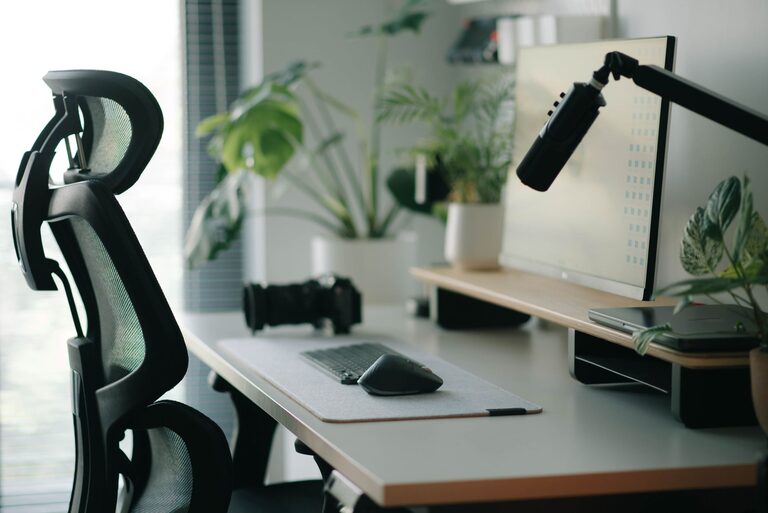
Creating a desk setup that promotes both focus and comfort can dramatically improve your workday experience. Whether you work from home, in an office, or study at your desk, thoughtful organization and ergonomic choices can reduce distractions and keep you energized. In this post, we’ll explore practical tips to optimize your desk setup for maximum comfort and concentration.
Why a Good Desk Setup Matters
Your desk is more than just a surface for your computer and papers. It’s where you spend hours each day, so having a comfortable, organized workspace can enhance your productivity and well-being. Poor posture, clutter, and inefficient arrangement can lead to discomfort, fatigue, and decreased focus.
1. Choose the Right Desk and Chair
Desk Height and Size
Select a desk that fits your space but also offers enough room to arrange your essentials without overcrowding. The ideal desk height for most people is about 28 to 30 inches tall, but this depends on your height. Adjustable desks or sit-stand desks provide flexibility to switch postures throughout the day.
Comfortable Chair with Support
Invest in an ergonomic chair that supports your lower back and encourages good posture. Look for chairs with adjustable seat height, lumbar support, and comfortable padding. Your feet should rest flat on the floor or on a footrest, with knees at about a 90-degree angle.
2. Optimize Monitor Placement
Eye Level Screen
Position your monitor so that the top of the screen is at or slightly below eye level. This helps prevent neck strain by encouraging a natural gaze. Using a monitor stand or adjustable arm can help achieve the proper height.
Distance from Eyes
Keep the monitor about an arm’s length away from your face (roughly 20 to 30 inches). This distance reduces eye strain by balancing focus and allowing you to see the entire screen comfortably.
3. Organize Accessories for Efficiency
Keep Essentials Within Reach
Place your most-used items, like your keyboard, mouse, notepad, and phone, within easy reach to avoid unnecessary stretching or twisting.
Declutter Your Space
Remove unnecessary items from your desk to reduce distractions. Use drawer organizers or small containers to keep pens, paperclips, and other supplies neatly stored.
Cable Management
Tidy cables using clips, sleeves, or under-desk trays to prevent tangling and create a cleaner workspace.
4. Lighting Matters
Use Natural Light
Position your desk near a window if possible to take advantage of natural light. This not only reduces eye strain but also boosts mood and alertness.
Add Adjustable Task Lighting
When natural light isn’t enough, use a desk lamp with adjustable brightness and direction. This allows you to focus light where you need it without glare.
5. Incorporate Comfort Features
Wrist Support
Consider ergonomic wrist rests for your keyboard and mouse to maintain a neutral wrist position and reduce the risk of strain.
Footrest
If your feet don’t comfortably reach the ground, a footrest can help maintain proper posture and circulation.
Temperature and Airflow
Make sure your workspace has good airflow and a comfortable temperature. Adding a small fan or heater may help you stay comfortable and focused.
6. Personalize Mindfully
Adding personal touches such as a plant, a photo, or artwork can create a pleasant environment. However, avoid clutter and keep decorations minimal to maintain a distraction-free zone.
7. Maintain Good Habits
Take Regular Breaks
Even with the best setup, taking short breaks every hour helps reduce eye strain and physical fatigue.
Stretching and Movement
Incorporate stretching exercises or brief walks during breaks to refresh your body and mind.
Example Desk Setup Checklist
– Ergonomic chair adjusted for height and support
– Desk at appropriate height with enough space
– Monitor raised to eye level, about an arm’s length away
– Keyboard and mouse positioned comfortably with wrist support
– Essential tools within easy reach, clutter minimized
– Proper lighting with natural light and a desk lamp
– Cable management solutions in place
– Footrest or wrist rests as needed
– Personal items kept minimal and organized
Conclusion
A well-designed desk setup tailored to your needs can make a significant difference in your ability to focus and work comfortably throughout the day. By prioritizing ergonomics, lighting, and organization, you create a healthy, efficient workspace that supports productivity and well-being. Start making small changes today, and enjoy the benefits of a workspace that works for you!
About the Author